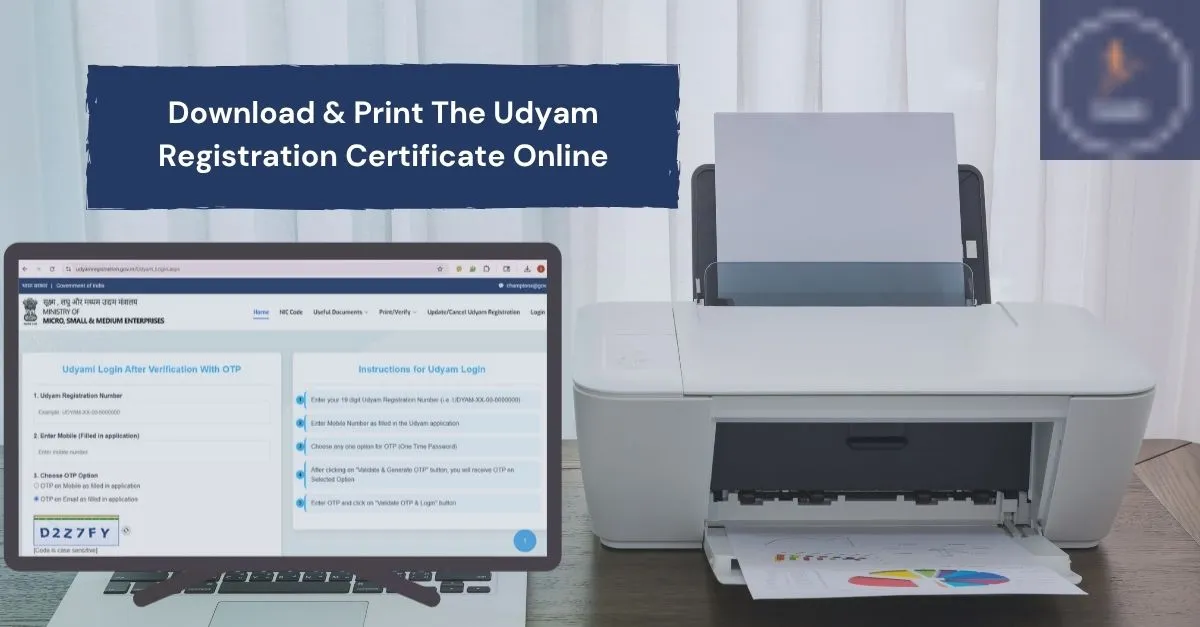
If your business is already registered under Udyam, you can access your Udyam Registration Certificate online. The certificate is issued electronically after successful registration and contains important details about your enterprise. You can save a digital copy for your business records and print it whenever required.
The Udyam Registration Certificate is an official electronic certificate issued after successful Udyam Registration. It serves as proof of the enterprise's Udyam registration and contains key registration details. You'll want to keep this handy when applying for business benefits, opening a company bank account, bidding on government contracts, or accessing various government schemes.
A Udyam Certificate is the digital certificate issued after successful Udyam registration of an eligible MSME.
It contains important business details such as:
It can be used as proof of your Udyam/MSME registration when required for business-related purposes.
Keep these details ready before starting:
If the Udyam Registration Number is forgotten, it should first be retrieved, and then the certificate can be downloaded.
Open the Udyam Registration Portal in your browser.
Make sure you are using the official Government of India website before entering your registration or contact details.
On the Udyam Registration Portal:
The portal provides a separate option for printing your Udyam Certificate.
Enter your 19-character Udyam Registration Number in the box.
Your Udyam Registration Number is like this:
UDYAM-XX-00-0000000
Enter the number carefully to avoid errors.
Please enter the 10-digit mobile number registered with Udyam.
The mobile number has to be the same as the one you used during your Udyam Registration.
Choose where you want to receive the OTP:
Then enter the verification code displayed on the page.
Click Validate & Generate OTP.
Check your phone or email — you'll receive an OTP there.
Enter the code and click Validate OTP & Login.
After OTP verification, your Udyam details will be displayed. Check the details and proceed to print or save your certificate.
Check the certificate details carefully before saving or printing it.
If the certificate opens in the browser's print window:
Your Udyam Registration Certificate will be saved as a PDF on your device.
You can keep this PDF for future use or print a physical copy whenever required.
Note: Need to Download your Udyam Annexure? Get it easily through our website.
Once the certificate is downloaded, its printout can easily be obtained. If you want a printout of your Udyam certificate, you can print it after opening the certificate.
For those who don't have access to a printer, save the certificate as a PDF and take the file to a local print shop.
If you have an existing Udyam Registration and also have a lost PDF file of your Udyam Registration Confirmation/Certificate, you may retrieve the Certificate from the Udyam Portal itself after submitting the required information for Re-verification.
This way, you won't waste your time when you need the certificate again.
If you have forgotten your Udyam Registration Number, you do not need to submit a new registration simply because you cannot find the number. The official Udyam portal provides a "Forgot UAM/Udyam Registration Number" option. You can select the registration type, choose mobile or email verification, enter the registered contact details, and verify the OTP to retrieve your registered number.
First, look for your old:
You can also use the relevant Forgot Udyam Registration Number service available on the official portal, if available.
After recovering the number, continue with the certificate download process.
Sometimes users may face problems while accessing or downloading the certificate.
Try these basic solutions:
OTP based verification may become challenging if you have lost access to the mobile number registered with your account. In this case, refer to the update/correction guidelines on the official Udyam portal and follow the existing verification process. Never give your OTP or personal details to strangers who claim to provide unofficial assistance.
Printing your Udyam registration certificate₁ is a very simple process involve only two easy steps. Your enterprise is registered, and you can get the certificate by using the credentials and verification method provided by the Udyam Registration Portal.
Verify the information on your certificate after you download it and keep a digital copy back up in your phone or computer. Since you may be required to submit your Udyam details for work related to your business, having a printed copy at home or work could come in handy.
Get Your Udyam Registration Certificate Online: Complete your Udyam Registration quickly and easily with expert assistance. 👉 Apply Now For New Udyam Registration
Disclaimer: We are a private consultancy service and are not a government department or an official government website. The information provided is intended to help users understand the process in simple terms. For the latest rules, requirements, and official procedures, users should verify the information on the official Government of India Udyam Registration portal.
About This Article: This article has been prepared by the Udyam Registration Consultancy Team based on commonly asked questions and practical issues faced by MSME/business owners while accessing their Udyam Registration Certificate. Our aim is to provide clear, simple, and user-friendly information to help users understand the online process.
Last Updated: August 2026